What is a robots.txt checker?
A robots.txt checker reads the robots.txt file at the root of a website and tells you two things: whether the file is valid, and which crawlers may visit which URLs. It matters because one wrong line can stop search engines or AI tools from reading your most important pages.
How to use the robots.txt checker
- Enter a domain to load its live robots.txt, or switch to Paste robots.txt to test a draft.
- Enter a URL or path you care about, such as /blog/ or /pricing/. The default is the homepage.
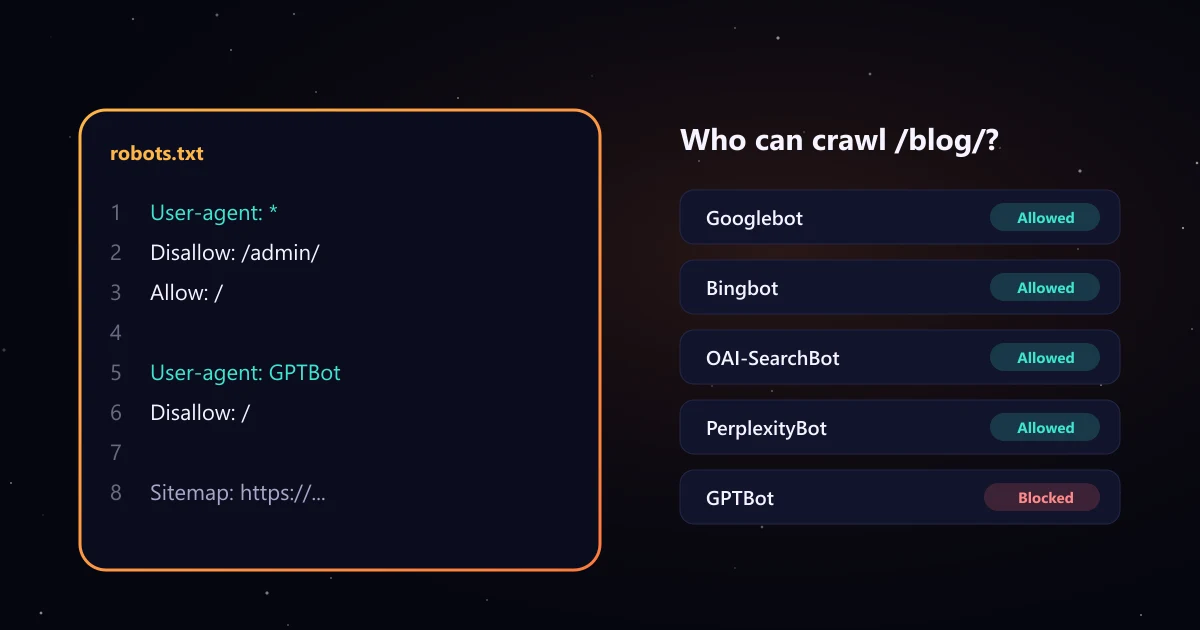
- Read the crawler table. Each row shows whether that bot is allowed or blocked on your path, and the exact line that decides it.
- Fix the errors and warnings listed under the table. Problem lines are highlighted in the file view.
- Test any other bot by typing its user agent token, for example AhrefsBot or SemrushBot.
How Google reads robots.txt
The checker follows the rules in Google's robots.txt specification:
- One group per crawler. A crawler uses the group with the most specific user agent that matches it, and ignores the rest. Rules under
User-agent: *are not added to a bot's own group. - Longest path wins. When allow and disallow rules both match a URL, the rule with the longer path applies. If they are equally long, Google uses the less restrictive one, the allow.
- Two wildcards.
*matches any characters and$marks the end of the URL, soDisallow: /*.pdf$blocks PDF files. - Paths are case sensitive, field names are not.
- Four fields only. Google supports user-agent, allow, disallow and sitemap. It ignores crawl-delay and anything else.
- 500 KiB limit. Content after the first 500 KiB is ignored.
- Missing file: a 404 means everything is allowed. A server error makes Google pause crawling for a while.
Common robots.txt mistakes the validator catches
- Rules placed before any user-agent line, so no crawler applies them.
- Misspelled directives such as "Dissallow", which crawlers silently ignore.
- A relative sitemap path instead of a full https:// URL.
- Noindex lines in robots.txt. Google stopped supporting them; use a robots meta tag instead.
- Blocking CSS or JavaScript files that Google needs to render your pages.
User-agent: *withDisallow: /left over from a staging site, which blocks every crawler without its own group.- An HTML page served at /robots.txt, or the file served with the wrong content type.
Robots.txt and AI crawlers
AI companies run several crawlers with different jobs, and each one reads its own robots.txt group. The checker tests these, with names taken from each vendor's documentation:
| Crawler | Owner | What it does |
|---|---|---|
| OAI-SearchBot | OpenAI | AI search: Shows sites in ChatGPT search results. |
| Claude-SearchBot | Anthropic | AI search: Indexes pages to improve Claude's search results. |
| PerplexityBot | Perplexity | AI search: Surfaces and links sites in Perplexity answers. |
| ChatGPT-User | OpenAI | AI user request: Fetches a page when a ChatGPT user asks. OpenAI says robots.txt rules may not apply. |
| Claude-User | Anthropic | AI user request: Fetches a page when a Claude user asks. |
| Perplexity-User | Perplexity | AI user request: Fetches a page for a user's question. Perplexity says it generally ignores robots.txt. |
| GPTBot | OpenAI | AI training: Content that may be used to train OpenAI models. |
| ClaudeBot | Anthropic | AI training: Content that may be used to train Anthropic models. |
| Google-Extended | AI training: Gemini training and grounding. Google says it does not affect Search inclusion or ranking. | |
| Applebot-Extended | Apple | AI training: Controls use of Applebot data for Apple's AI models. |
| CCBot | Common Crawl | AI training: Open web archive widely used to train AI models. |
| meta-externalagent | Meta | AI training: Meta's crawler for AI training and products. |
The practical split: AI search crawlers decide whether tools like ChatGPT search and Perplexity can find and cite your pages, while training crawlers relate to building future models. If you want to appear in AI answers, keep the search crawlers allowed. Allowing them does not guarantee a citation; that depends on your content and the sources AI tools trust. Our guides on LLM SEO and AI visibility tracking tools cover the rest, and the llms.txt generator adds an optional map of your key pages for AI tools.
Robots.txt is not a privacy or indexing tool
Robots.txt asks well behaved crawlers not to visit URLs; it does not protect them. Anyone can read the file, and a blocked URL can still be indexed if other pages link to it, as Google explains in its introduction to robots.txt. Use passwords for private content and noindex for pages you want out of search.