What is an llms.txt file?
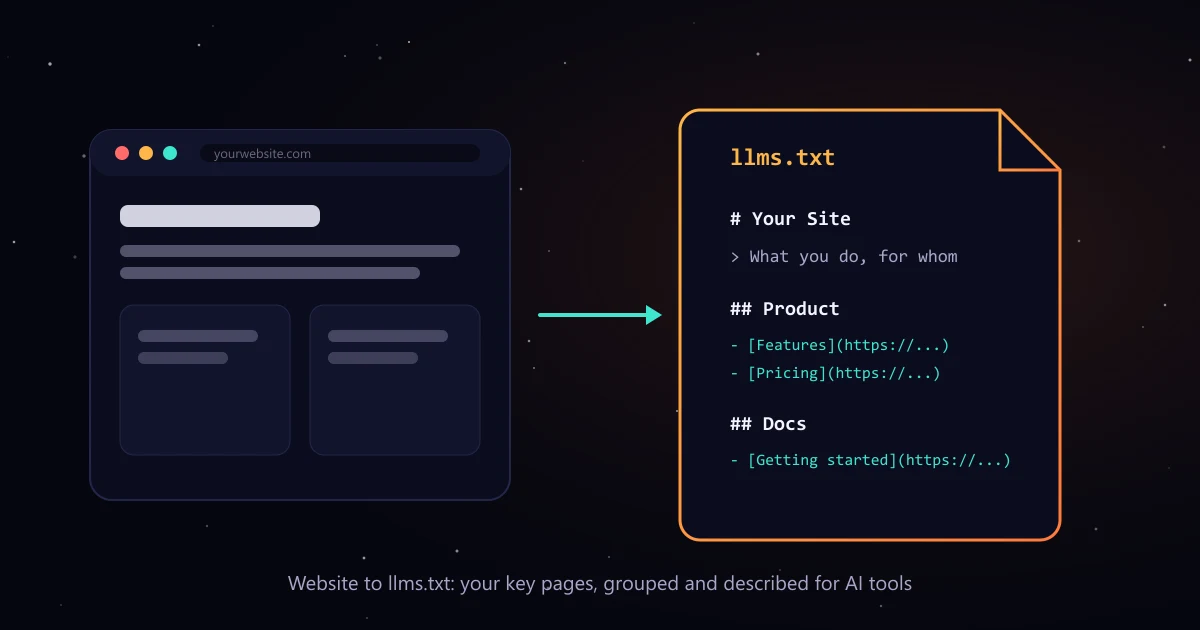
An llms.txt file is a markdown file at the root of your website, at yoursite.com/llms.txt, that gives AI tools a short summary of your business and a curated list of your most useful pages, grouped into sections with one line descriptions. The format was proposed at llmstxt.org so that AI tools can understand a site without reading every page.
How to create an llms.txt file in 3 steps
- Generate: enter your domain above. The tool reads your robots.txt and sitemap (or your homepage links if there is no sitemap) and up to 30 pages.
- Edit: rewrite the summary line in your own words, delete pages that do not help someone understand your business, and add any important page we missed.
- Publish: download the file and upload it so it opens at yoursite.com/llms.txt as plain text. Install steps for common platforms are below.
What a good llms.txt file looks like
Short and specific beats long and complete. A good file has one title, one summary line, and a handful of sections that point to the pages that explain what you sell:
# Acme Analytics

> Acme Analytics is people analytics software for mid-size HR teams.

## Product

- [Features](https://acme.com/features): Reports, dashboards and alerts
- [Integrations](https://acme.com/integrations): Connects to BambooHR and Slack

## Pricing

- [Plans](https://acme.com/pricing): Per employee pricing, free trial

## Docs

- [Getting started](https://acme.com/docs/start): Setup in 15 minutes

## Optional

- [Privacy policy](https://acme.com/privacy)- Title: your brand or product name as an H1. It is the only required part.
- Summary: one sentence in a blockquote that says what you are and who you serve.
- Sections: H2 headings with lists of links in the form [Name](full URL): short note.
- Optional: a section with that exact name for pages AI tools can skip, such as legal pages.
llms.txt vs robots.txt vs sitemap.xml
| llms.txt | robots.txt | sitemap.xml | |
|---|---|---|---|
| Who it is for | AI tools that read your site | Search engine crawlers | Search engine crawlers |
| What it does | Points to your most useful pages, with short descriptions | Says which pages crawlers may or may not fetch | Lists every URL you want indexed |
| Format | Markdown | Plain text rules | XML |
| Status | Proposed standard (llmstxt.org) | Long established standard | Long established standard |
| Required? | No | No, but expected | No, but strongly recommended |
llms.txt does not replace either file. robots.txt still controls which crawlers can fetch your pages, and your sitemap still helps search engines find them.
How to add llms.txt to your website
WordPress
Upload llms.txt to your site root (the folder with wp-config.php) using your host's file manager or SFTP. Some SEO plugins can also serve it; check that https://yoursite.com/llms.txt opens as plain text.
Shopify
Shopify does not let you place files at the root. Upload the file under Content > Files, then add a URL redirect from /llms.txt to the file URL in Online Store > Navigation > URL redirects, or use an app that serves llms.txt.
Webflow
Webflow does not host arbitrary root files. Host llms.txt elsewhere (for example a Cloudflare Worker or your CDN) and route /llms.txt to it, or add a 301 redirect in Site settings > Publishing.
Next.js
Put llms.txt in the /public folder, or create app/llms.txt/route.ts that returns the text with content-type text/plain so it stays in sync with your pages.
Static sites and Cloudflare
Place llms.txt next to index.html in your build output. On Cloudflare Pages or Netlify it is served automatically at /llms.txt.
After uploading, open yoursite.com/llms.txt in a browser. It should show plain text, not your 404 page. Then paste your domain into the validator above to check the format.
Does llms.txt help SEO or AI visibility?
Honestly, the evidence is thin. Google has said it does not use llms.txt, and no major AI engine has confirmed reading it. Adding one is cheap and may help tools and agents that do look for it, so it is a reasonable extra. It will not make ChatGPT or Perplexity recommend you on its own.
What moves AI visibility is being described accurately on the pages AI engines already cite, such as roundups, comparisons and reviews, plus clear pages on your own site. Our guide on how to improve brand visibility in AI search engines walks through the full process.
How this generator picks pages
- It reads the sitemaps listed in your robots.txt, then /sitemap.xml, /sitemap_index.xml and /wp-sitemap.xml.
- It skips tag, category, author, login, cart and search pages, files like PDFs, and any page marked noindex.
- It prioritises your homepage, pricing, product and docs pages, then company pages, then blog posts, up to 30 pages.
- It sorts pages into Product, Pricing, Docs, Customers, Blog, Company, Pages and Optional, using each page's own title and meta description.
- It shows which pages it skipped and why, so you can add them back by hand.