What is a broken link checker?
A broken link checker visits every link on a page and reports the ones that no longer work: pages that return 404 Not Found, servers that error, links that redirect somewhere unexpected, and domains that no longer exist. It shows you what to fix before readers or search engines run into dead ends.
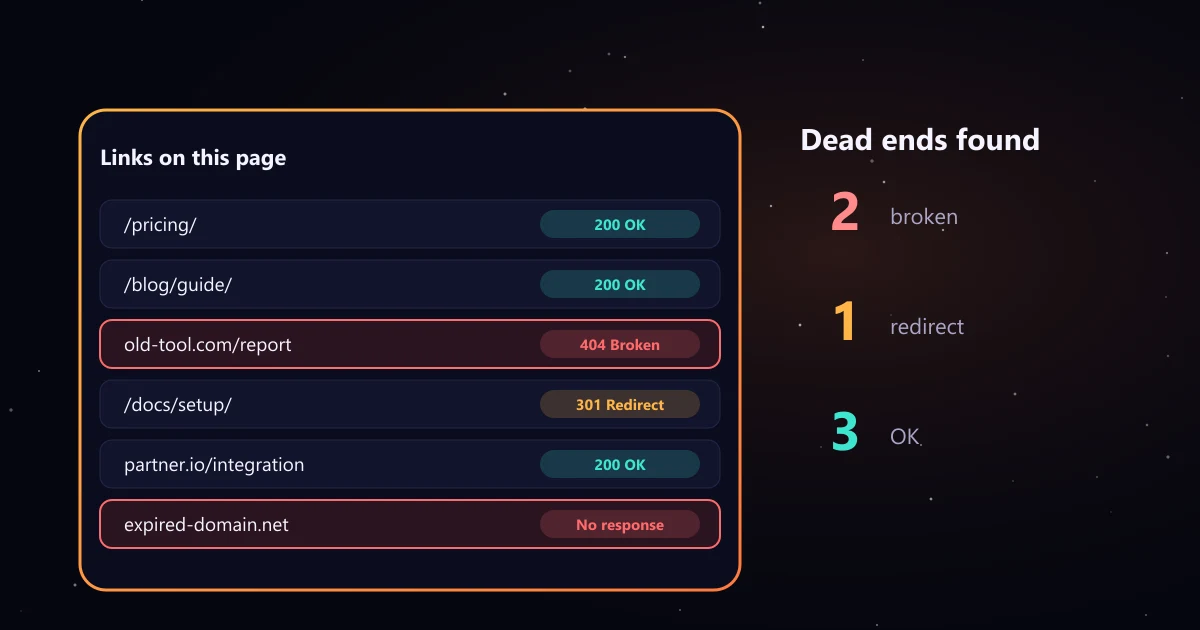
How to find broken links on a website
- Paste a page URL, for example a popular blog post, your homepage or a resource page.
- Choose what to check: all links, external links only or internal links only.
- Read the Problems view. Broken, unreachable, server error and redirect to homepage links are listed first, with the anchor text and position on the page.
- Fix each one in your CMS, then run the check again.
- Download the CSV to share the list with your team or track fixes.
To cover a whole site, start with the pages that matter most: navigation pages, top traffic posts and pages with backlinks. Google Search Console's Page indexing report also lists URLs on your site that return 404, which shows broken internal links from Google's side.
What each result means
| Result | What it means and what to do |
|---|---|
| OK | The link works (HTTP 2xx). Nothing to do. |
| Redirect | The link works but goes through a redirect. Update it to the final URL when you can, so readers and crawlers skip a hop. |
| Redirect to homepage | A deep link that lands on the homepage. The original page is usually gone, and Google may treat such redirects as soft 404s. Find a better target. |
| Broken | 404 Not Found, 410 Gone or another 4xx error. Fix or remove the link. |
| Server error | The target returned 5xx. It may be temporary; check again later before removing the link. |
| Blocked check | 401, 403 or 429. Some sites block automated requests even when the page works. Open the link in your browser to confirm. |
| Unreachable | No response within 8 seconds or the domain does not resolve. Often an expired domain. |
Google explains how it handles these codes in its guide to HTTP status codes and network errors, including soft 404s.
Why broken links matter
- Readers leave. A dead link in the middle of an article breaks trust, especially on product and documentation pages.
- Crawlers hit dead ends. Broken internal links stop search engines from reaching pages through your own navigation.
- Backlinks go to waste. When a page with backlinks is deleted without a redirect, the value of those links is lost. A 301 redirect to the closest live page keeps it.
- Pages look neglected. Editors, partners and AI tools that read your pages notice outdated sources.
Broken links on Shopify and WordPress
The checker works on any public page. On Shopify, products and collections that are deleted or renamed are the usual source of broken links; add a URL redirect in the admin from the old path to the new one. On WordPress, broken links often follow a change to the permalink settings or deleted posts; set redirects for old URLs and update internal links in the editor. Run your key pages through the checker after any migration or redesign.
Turn other sites' broken links into backlinks
A broken outbound link on someone else's page is an opportunity. When an article in your niche links to a page that no longer exists, you can tell the editor and suggest your own page as the replacement. The checker flags these as broken link building opportunities and links to the old page in the Wayback Machine, so you can see what it used to cover. Our broken link building guide walks through the full process, and the guest post email template generator includes a link insertion email you can adapt. To check whether a link you earned is dofollow and indexable, use the dofollow link checker.
Limits of this checker
It checks one page at a time, up to 200 unique links, using the HTML our server receives. Links added later by JavaScript may not appear, and some sites block automated requests (shown as Blocked check). LinkedIn, for example, answers automated checks with a non standard 999 code, and some shared hosts return 429 Too Many Requests after a burst of checks and keep blocking for a while. Those links are not broken; open them in your browser to confirm. It does not crawl your whole site. Nothing you enter is stored.