What is a dofollow link checker?
A dofollow link checker reads the HTML of a page and reports, for each link, whether it is dofollow or carries rel="nofollow", "sponsored" or "ugc". Add your domain and it becomes a backlink verifier: it tells you whether your link is on the page, with what anchor, and whether that page can count for search at all.
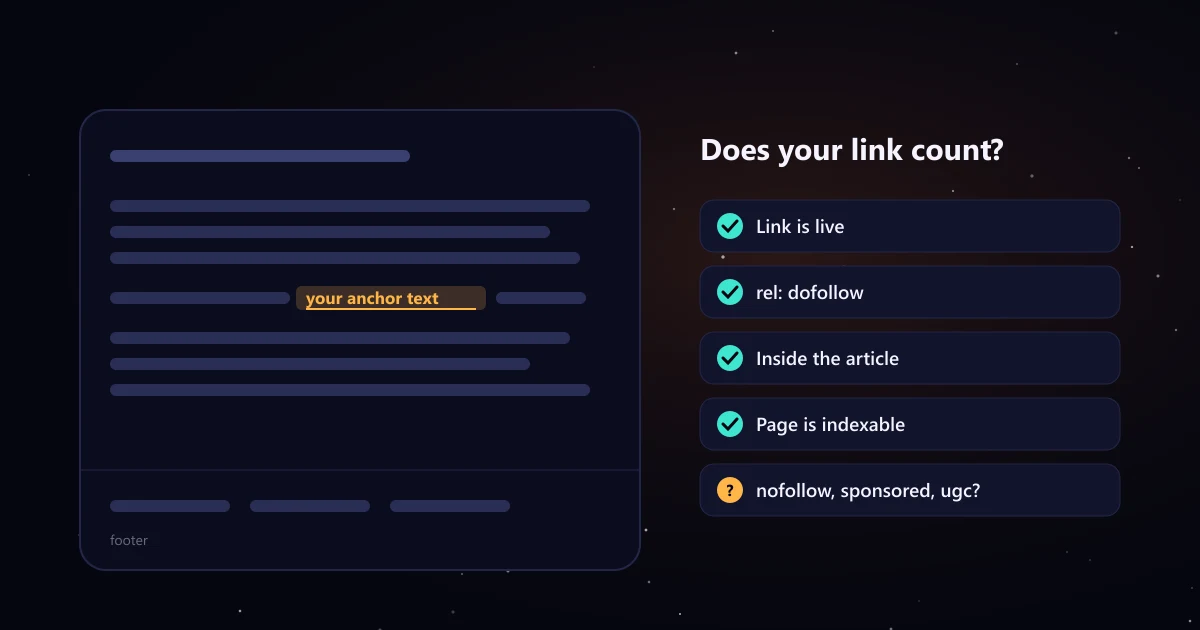
How to check if a link is dofollow
- Paste the page URL where the link should be, for example a guest post that just went live. Add up to 10 URLs, one per line.
- Add your domain to verify your own backlink, or leave it empty to list every link on the page.
- Read the verdict. Green means the link is live, dofollow and on an indexable page. Amber means it is there but nofollow, sponsored or on a page with an indexing issue. Red means it was not found.
- Open the details to see every link with its anchor, rel value and position, and filter by yours, external, dofollow or nofollow.
To check by hand, right click the link in your browser, choose Inspect, and look for a rel attribute on the highlighted <a> tag.
Dofollow vs nofollow vs sponsored vs ugc
| Type | In the HTML | What it means |
|---|---|---|
| Dofollow (no rel value) | <a href="https://yoursite.com/"> | A normal link. It can pass ranking signals to the page it points to. "Dofollow" is not a real attribute; it just means none of the values below is set. |
| nofollow | <a rel="nofollow"> | Asks search engines not to associate the two pages. Common on comments, forums and sites that nofollow every outbound link. |
| sponsored | <a rel="sponsored"> | Marks paid or sponsored links: ads, sponsorships and paid placements. Google asks sites to use it for links they were paid for. |
| ugc | <a rel="ugc"> | User generated content, such as comments and forum posts. |
Google explains these values in its guide to qualifying outbound links, and since 2020 it treats all three as hints rather than strict rules. A link can carry more than one value, such as rel="nofollow sponsored".
Why a live, dofollow link might not count
A link is only as useful as the page it sits on. The checker flags the page level problems that quietly cancel a backlink:
- Noindex: a robots meta tag or X-Robots-Tag header with noindex keeps the page out of Google.
- Page level nofollow: robots content="nofollow" makes every link on the page nofollow, even without a rel attribute.
- Canonical elsewhere: a canonical tag pointing to another URL tells Google to index that page instead.
- Errors and redirects: a 404 or 5xx page drops out of search; a redirect means the link lives on a different URL than the one you were given.
- Placement: a link in the footer, sidebar or author bio usually carries less weight than one inside the article.
- Too many outbound links: a post crowded with links to unrelated sites is a sign of a site that sells links to anyone. Our link quality standard treats more than 8 per post as a warning.
Verifying guest post and link insertion placements
When a publisher says your article is live, check it the same day: the link is there, the anchor and target are what you agreed, the rel attribute matches the deal and the page is indexable. Re-check every few months, because links get edited or removed. Paste all your placement URLs here to verify them in one go, and review your overall anchor mix with the backlink anchor text checker.
If a site charges for a post, ask how it marks paid links before you pay. Google asks that links in paid placements use rel="sponsored" or nofollow, so a publisher promising otherwise is telling you something about its standards. To pitch publishers, use the guest post email template generator; to hand off the whole process, see our guest posting services, where every live link is checked and reported.
Limits of this checker
It reads the HTML our server receives, the way a basic crawler does. Links added later by JavaScript, pages behind a login and sites that block automated requests may not show correctly. It checks pages you give it; it does not search the web for all your backlinks. Nothing you enter is stored.