What is a SERP preview?
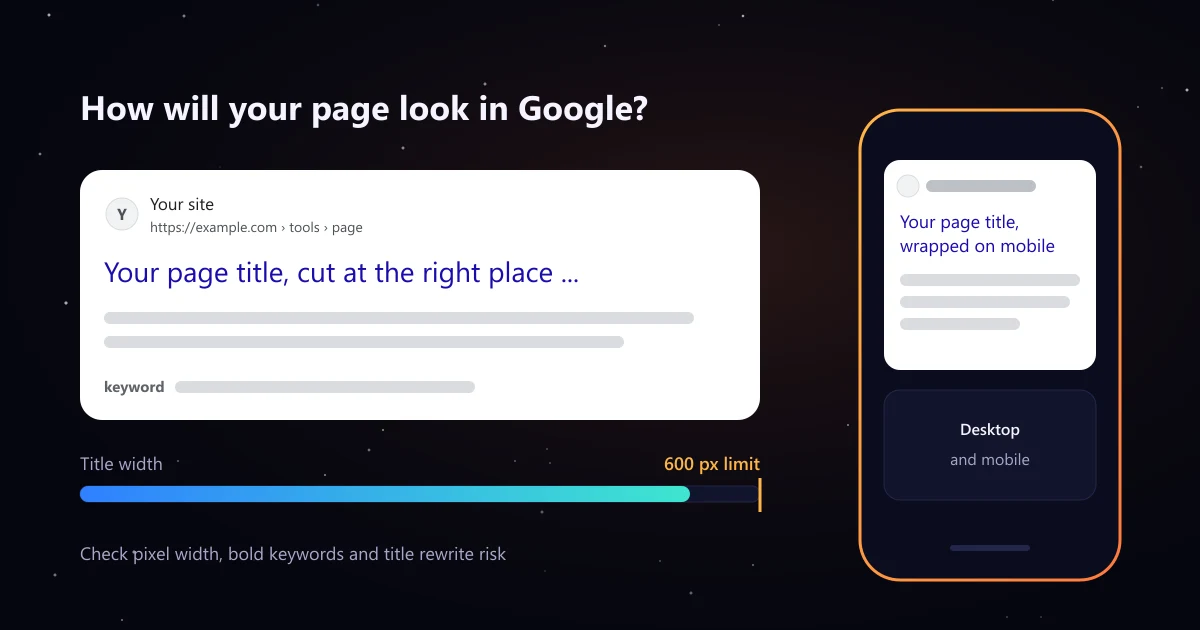
A SERP preview is a mock up of your page as it appears in search engine results: site name, URL, title link and description snippet. Checking it before you publish shows whether the title gets cut, whether the description sells the click, and whether your keyword shows up in bold.
How to use the SERP preview tool
- Load a page or start typing. Paste a live URL to pull its current title, meta description, H1 and robots tag, or type new tags for a page you have not published yet.
- Add your target keyword. Words from it appear in bold in the description, the way Google highlights terms that match a search.
- Check both previews. Desktop cuts long titles to one line. Mobile wraps the title but shows less of the description.
- Work through the checks. Fix problems first (red), then suggestions (amber).
- Copy the HTML tags and paste them into your CMS or code.
Title tag and meta description length: pixels, not characters
Google does not cut titles at a set number of characters. It cuts them to fit the space on the screen, so a title full of wide letters like W and M runs out sooner than one with narrow letters. That is why this tool measures width in pixels, in Arial at the sizes used in results, instead of counting characters.
| Element | Approximate space | Typical characters |
|---|---|---|
| Title, desktop | About 600 px on one line | 50 to 60 |
| Title, mobile | Wraps to two lines | Up to about 75 |
| Description, desktop | About 990 px, two lines | About 150 to 160 |
| Description, mobile | About 760 px | About 120 |
These are working estimates, not rules. The layout changes with device, search and features on the page, so keep the words that matter at the front. If you also want to see how a snippet looks in Bing, try this Google and Bing snippet preview.
Why Google rewrites titles, and how to lower the risk
Google shows your title tag in most results, but it can create a different title link from your headings, anchor text or page content. Its guide to title links lists the common causes:
- Too long: Titles that run past the space get cut, and long ones are more likely to be replaced.
- Keyword stuffing: The same keyword repeated, or a list of variations, reads as spam. Google may swap it for your heading.
- Boilerplate: The same title on many pages, or titles like "Home" and "Untitled", tell Google nothing about the page.
- Does not match the page: If the title promises something the H1 and content do not cover, Google often shows the H1 instead.
- Missing or empty: Without a title tag, Google builds a title link from headings, anchor text or other text on the page.
When you load a live page, the tool compares your title with the H1 and flags a rewrite risk if they share few words. Descriptions follow similar logic: Google may pick page text over your meta description if it matches the search better, as its snippet documentation explains.
How to write a title and description that earn the click
Title tag
- Lead with the topic or keyword, then the benefit, then the brand at the end.
- Make every title unique and specific to the page.
- Use the keyword once. Variations belong in the content, not the title.
- Keep the site name consistent. Google may show a site name above the URL as well.
Meta description
- Answer the search in the first sentence, then say what makes your page different.
- Use the words people search for, so they appear in bold.
- Write for people, not for ranking. Google does not use the meta description for ranking, but it often shows it.
Snippets are only part of search visibility
A strong snippet wins more clicks from the rankings you already have. Rankings themselves still depend on content and links from relevant sites, and AI assistants now answer many searches directly. Read our guide to LLM SEO, create an AI friendly site map with the llms.txt generator, or plan a budget with the link building cost calculator.